Follow the useful bit.
Automatic zooms bring attention to your clicks. Adjust the timing, position, and zoom level in the editor.
Automatic zooms Showreel 95
$5 once
Showreel 95
$5 once
Automatic zooms. A cursor people can follow. A proper editor to finish the job. All inside the desktop you remember.
$5 one-time purchase macOS 15+ Apple silicon
Showreel 95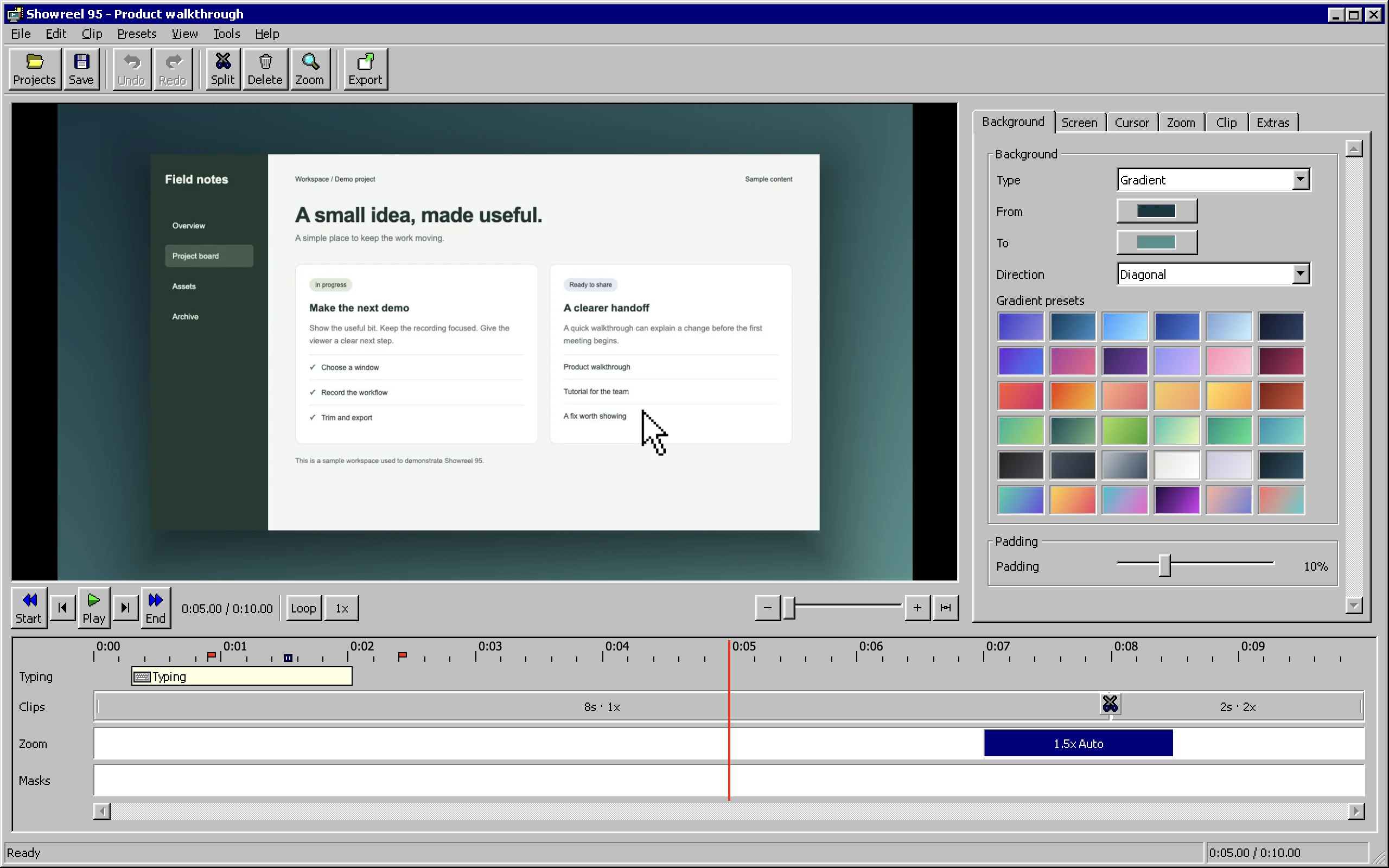
Yes, it has the sounds. And the beveled buttons. And the little grey dialogs.
The nostalgia is included.Inside Showreel 95
A recording, a timeline, and the controls you need to make it presentable.
Actual app screenshots with a sample project.
What it does
For the tutorial, the product walkthrough, or the thing that's easier to explain on screen.
Automatic zooms bring attention to your clicks. Adjust the timing, position, and zoom level in the editor.
Automatic zoomsSmooth out pointer movement, make clicks visible, and add motion blur. Give the viewer something easy to follow.
Cursor + motionSet a background, add some breathing room, and save your look as a preset. Reuse it for the next recording.
Backgrounds + presetsA screen, a window, or an area. Add your camera, microphone, and system audio.
Trim, split, change speed, and place highlight or blur masks on the timeline.
Generate captions on your Mac with Apple's speech recognition.
MP4 for sharing, ProRes for editing, and GIF for a quick loop. Up to 4K.
A small app. A small price.
Buy the app, save your recordings on your Mac, and get on with the work.
No subscription. No activation key.
Screen recording for Mac
The first release is being prepared. Checkout opens when it is ready.
Before you buy: Requires macOS 15 or later and a Mac with Apple silicon (M1 or newer). This is a Mac app with a Windows 95 theme.
Help
Showreel 95 runs on Apple silicon Macs with macOS 15 or later. The interface is inspired by Windows 95. A Windows version is not included.
No. The price is a one-time payment for the app. There is no activation key or recurring charge.
Your recordings and projects are saved on your Mac. Showreel 95 does not upload your recordings to a cloud library.
Yes. The View menu lets you switch the Windows 95 sounds and mouse pointers on or off.
Email biz@drjoshcsimmons.com with your macOS version and what happened. For purchase or refund questions, include your order number.